Yard Mastery: Lawn Care App
- 4.5
- Rating
- 100.00K
- Installs
- Free
- Price

 Analysis by App-foxy
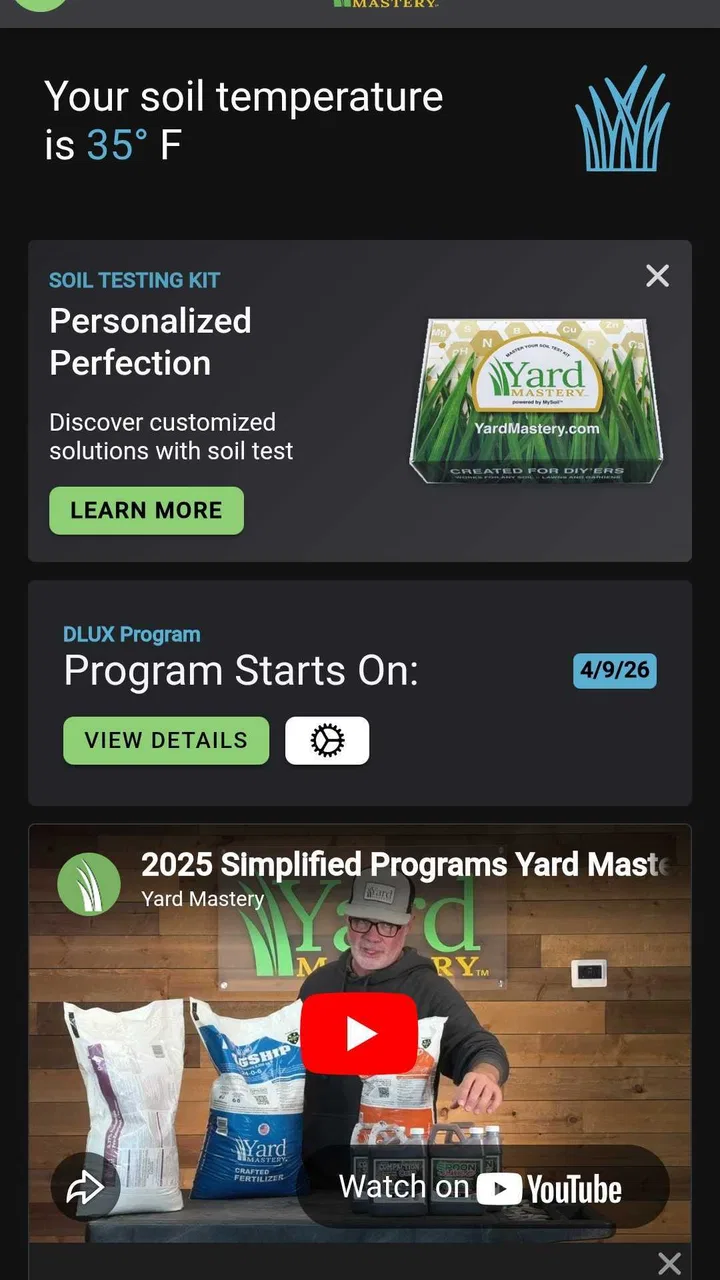
I approached Yard Mastery: Lawn Care App as someone trying to make lawn care less dependent on memory and guesswork. The app comes from Yard Mastery, Inc. and sits in the House & Home category, with a clear focus on helping DIY gardeners organize seasonal work, soil testing, and fertilizer use. It is free, rated for Everyone, and has reached more than 100 thousand installs, so it is aimed at ordinary homeowners rather than professional grounds crews.
My first impression was that its real value is not a single lawn-care trick. It is the attempt to turn scattered jobs into a repeatable routine. Instead of remembering when I last tested the soil, what I applied, or what I planned to do next, I can use the app as a central place for those decisions. That makes it especially interesting for people who want to care for their grass themselves but do not enjoy keeping notes, labels, and calendar reminders in several different places.
How Yard Mastery supports different ways of using it
I find the app’s most useful role changes with the household: one person may need a seasonal prompt, while another mainly wants a dependable record of what was applied. Thinking about those different routines helps me decide how much structure to use and where a simple shared habit can prevent confusion.
You May Also Like

 Blood Strike: 2.5 Anniversary
Blood Strike’s Loadouts Turn Every Drop Into a Tactical Gamble
A close look at Blood Strike’s custom loadouts: how fast access to signature weapons reshapes its battle royale rhythm, rewards preparation, and narrows the gap between fights.

 Pandora - Music & Podcasts
Pandora’s Music Is Easy to Start, but Harder to Recover
Pandora’s strength is its low-effort path from a seed to a station. Its weak spot is how much confidence it asks you to place in connection, setup, and quiet recovery.

 8 Ball Pool
 Is Built on Rivalries, Rematches, and Routine
A close look at the rivalries, rematches, shared routines, and unanswered safety questions that turn a quick pool match into a persistent mobile community.

 Samsung Music
’s Quiet Strength Is Playing What You Already Own
Its reach comes less from spectacle than from dependable access to a personal library. That simplicity is both the app’s strongest retention engine and its ceiling.

 AccuWeather: Weather Radar
AccuWeather Review: A Quick, Clear Forecast for Everyday Decisions
For everyday plans, the best forecast is the one you can understand quickly. AccuWeather makes rain timing, radar, and local conditions easy to act on, with a few trade-offs.

 Hill Climb Racing
Why Hill Climb Racing Still Turns Crashes Into One More Run
A tiny car, a bumpy hill and one more upgrade: Hill Climb Racing keeps resurfacing because its simple chaos makes every near-miss feel personal.
More From Our News Desk
View All News


Readability and navigation for a practical outdoor routine
The app makes the most sense when I treat it as a planning companion rather than an encyclopedia. A personalized schedule gives the lawn-care process a sequence, which is easier to follow than opening a general search engine every time a question comes up. For a new homeowner, that structure can reduce the feeling that every lawn problem requires expert knowledge.
I also like the way a schedule can make small jobs visible. Lawn care is full of tasks that are easy to postpone because none of them feels urgent on its own. Soil testing, recording a fertilizer application, and checking what comes next are more manageable when they are grouped into a routine. The strongest part of the experience is its ability to turn lawn care into a checklist of decisions rather than a collection of guesses.
That approach can help readers who prefer clear written steps and predictable navigation. It is also useful for anyone who loses track of time or has difficulty remembering recurring household maintenance. I would not rely on it as my only source of horticultural judgment, but I would use it to keep the basic process visible and organized.
There is a practical distinction between an app that tells me what a product is and one that helps me remember what I did. The fertilizer-tracking side belongs to the second group. A record is more useful when I am comparing the lawn’s condition over time, because I can look back at an application instead of trying to reconstruct it from memory. That is a small feature in theory, but it changes how responsibly I can plan the next treatment.
For better readability, I would use the app during a quiet planning moment rather than while carrying bags, handling a spreader, or standing in bright sunlight. I would also enter information immediately after finishing a job, while the product and area are still fresh in my mind. That workflow reduces the chance of creating an incomplete record later.
The current version is 3.09.02, and the app supports Android 7.0 or later. That broad operating-system reach is helpful for people who keep an older phone as a household device, although the experience will still depend on the screen, system text settings, and performance of the individual phone. The app itself does not remove every readability issue caused by an aging display or a user’s preferred text size.
Motor and sensory considerations in real use
Lawn care is already a hands-on activity, so the best time to use the app is usually before going outside or after the physical work is complete. This matters for people with limited dexterity, hand fatigue, or difficulty using a phone while wearing gloves. I would not expect comfortable data entry while holding a spreader, opening a fertilizer bag, or working in wet conditions.
A useful routine is to prepare the plan indoors, take only the necessary information outside, and return to the app for the record afterward. That reduces repeated tapping and keeps the phone away from soil, water, and chemicals. It also makes the app more accessible for someone who cannot easily switch between a tool and a small touchscreen.
For users with visual sensitivities, outdoor glare is an obvious situational challenge. I would check the schedule in shade, enlarge the phone’s system text if needed, and avoid trying to read detailed instructions under direct midday sun. These are general phone adjustments rather than special features of the app, but they make a meaningful difference to whether the workflow feels manageable.
People who rely on hearing rather than sight should be cautious about assuming that every important part of the experience can be consumed without reading. The core purpose involves schedules, entries, and product-related information, so a user who needs spoken guidance may need the phone’s own accessibility tools or another person’s help for some steps. I would test that arrangement before depending on the app for a full season.
On the other hand, the app’s subject matter can suit users who prefer low-pressure, asynchronous planning. There is no need to complete a lawn task at the exact moment the idea occurs. Someone managing fatigue, mobility limitations, or an unpredictable schedule can review the plan when energy is available, then divide the physical work into shorter sessions. That flexibility is more valuable than a flashy interface would be for many households.
Situational access: from a small yard to shared household work
I found the most convincing use case in a normal weekend routine. Imagine noticing thin grass and weeds after mowing. Instead of immediately buying a random fertilizer, I would open the app, review the planned lawn-care step, check whether a soil test belongs before treatment, and record what I eventually do. Later, when the lawn still looks uneven, I have a better starting point than “I think I applied something last month.”
This is also useful when several people share outdoor chores. One person can make the plan, while another handles the physical work. The record becomes a handoff point: the next person can see what was intended and what has already been completed. That reduces duplicate applications, forgotten tasks, and the common household problem of assuming someone else took care of it.
For renters or people with small lawns, the app may still be worthwhile if they are responsible for maintaining the grass and want a consistent routine. However, the benefit depends on how much control they have over the soil and treatments. Someone who only mows occasionally may find a full planning system more effort than the lawn deserves.
For a larger property, the app can help with discipline, but I would be more careful about treating its schedule as a complete property-management system. A large or complicated yard may contain different grass types, shaded areas, slopes, garden beds, irrigation zones, and local restrictions. Those conditions require judgment that a general lawn-care workflow cannot replace. I would use the app as a framework, then adapt tasks to the actual property.
It can also support a gradual learning process. A beginner does not have to master every lawn-care term before starting. I can begin by following the schedule, testing the soil when appropriate, and recording applications. Over time, those records make it easier to notice patterns: whether a treatment was followed by improvement, whether a problem returns in the same area, or whether the lawn needs a different diagnosis altogether.
That last point is important because a schedule can create false confidence if I follow it mechanically. Grass problems are not always caused by a lack of fertilizer. Poor drainage, compacted soil, pests, disease, mowing habits, and weather can all produce similar symptoms. The app is better at organizing a response than proving the cause. I would pause before applying anything when the lawn’s condition does not match the expected seasonal pattern.
Where the usual alternatives still have an advantage
The simplest alternative is a paper notebook. For a person who dislikes phones, a notebook can be faster for recording a date, product, and area. It also works in a shed, does not depend on battery life, and can be shared without learning an interface. Yard Mastery becomes more compelling when I want a guided schedule rather than a blank page.
A standard calendar is another strong competitor. Calendar reminders are excellent for recurring chores and can be easier to integrate with other household responsibilities. They are less specialized, though. A general reminder will tell me to do something, while this app is designed around lawn-care planning, soil testing, and fertilizer tracking. I would choose the app when the lawn itself is the organizing principle.
Search engines and gardening forums are better for unusual diagnoses and local experiences. They offer a wider range of opinions, but they also make it easy to jump between contradictory advice. The app’s advantage is continuity: I can keep one routine and one record instead of starting from zero with every question. Its disadvantage is that a structured plan may feel less useful when the problem falls outside ordinary lawn maintenance.
Professional lawn services are a better choice for people who cannot safely handle fertilizers, operate equipment, or inspect a property. They may also be preferable when the yard is large, the problem is severe, or local conditions are complicated. I see this app as a tool for people who genuinely want to do the work themselves, not as a substitute for skilled help in every situation.
Remaining barriers and friction points
The first barrier is commitment. A personalized schedule only helps if I keep returning to it and entering what happened. If I download it once, glance at a recommendation, and never record applications, much of its long-term value disappears. This is not a criticism unique to lawn apps, but it is especially relevant here because the benefit grows from consistent history rather than a single visit.
The second barrier is interpretation. A beginner may follow a task without understanding why it matters or when a different response is safer. I would still read fertilizer labels, follow local rules, and pay attention to the lawn’s condition. The app can organize my process, but it should not encourage automatic treatment whenever a reminder appears.
Physical access is another limitation. The app can make planning easier for someone who cannot spend long periods outdoors, but it cannot make spreading, lifting, watering, or kneeling effortless. A user with mobility limitations may need adapted tools, shorter sessions, or help from another person. In that situation, the app is useful for coordination, not a complete accessibility solution.
There is also a sensory and environmental barrier in outdoor use. Glare, rain, dirt, gloves, and noise can all make phone interaction unpleasant. I would plan around those conditions instead of expecting the app to be equally comfortable everywhere. Keeping entries short and doing the main review indoors is the most sensible compromise I found.
Finally, the app is not the right choice for someone who wants a fully automatic service. It does not remove the need to inspect the grass, understand the property, handle materials safely, or make exceptions. If I wanted someone else to decide and perform everything, I would look at a local professional service instead.
What I would do before relying on it
I would start by identifying the lawn area I actually intend to manage, then use the schedule as a planning aid rather than treating it as an unquestionable prescription. I would keep product labels nearby, record applications promptly, and note unusual conditions such as heavy shade or standing water. Those extra notes help prevent the app from becoming a simple reminder disconnected from reality.
I would also establish a shared household rule: no one applies a lawn product unless the action is recorded. That single habit makes the fertilizer tracker far more useful. It prevents two people from repeating the same treatment and gives the household a reliable history when deciding what to do next.
For accessibility, I would adjust the phone before the first outdoor session, use a stable surface for data entry, and schedule review time when the user is not tired or rushed. If a family member needs assistance, I would let that person handle the digital record while the gardener focuses on the physical task. This division preserves independence without forcing one person to manage every part of the process.
The app has a 4.7 average from around 1.9 thousand ratings, which suggests that many users find the approach useful. I would read that as encouragement rather than proof that it fits every lawn or every ability. The experience depends heavily on whether I want a guided routine and whether I am willing to maintain the record.
My inclusive verdict
Yard Mastery: Lawn Care App is a thoughtful fit for DIY homeowners who want structure, especially people who forget treatment dates or feel overwhelmed by seasonal lawn tasks. Its free price removes an easy barrier to trying it, and its Everyone content rating makes it suitable for a broad household audience. Yard Mastery, Inc. has focused the app on a practical problem: keeping lawn decisions connected over time.
I would recommend it to a friend who wants to learn gradually, share chores, and replace scattered notes with one lawn-care routine. I would be particularly positive for someone managing fatigue or an unpredictable schedule, because planning and recording can happen separately from the physical work.
I would not recommend relying on it alone for complex properties, serious lawn disease, chemical-safety decisions, or users who need a completely hands-off service. People who prefer paper, have only occasional mowing duties, or cannot comfortably interact with a touchscreen may be happier with a notebook, calendar, or helping hand.
Overall, I see it as a useful organizational tool, not a substitute for observation and judgment. When I use it that way, its schedule, soil-testing focus, and fertilizer history work together sensibly. The app does not make lawn care effortless, but it can make the process clearer, more shareable, and easier to approach in a way that respects different abilities and everyday circumstances.
FAQs for Yard Mastery: Lawn Care App
01What features does the Yard Mastery app offer for lawn care enthusiasts?
Yard Mastery provides a comprehensive set of tools for lawn care, including personalized lawn plans, fertilizer and product recommendations, and a water tracking system. Users can also access a vast library of lawn care tips and tutorials, ensuring both beginners and experienced gardeners have the resources they need.
02Is the Yard Mastery app suitable for beginners in lawn care?
Absolutely! The app is designed with both beginners and seasoned lawn enthusiasts in mind. It offers step-by-step guides and personalized recommendations based on your location and lawn type, making it easy to follow and implement effective lawn care practices, even if you're just starting out.
03How does Yard Mastery customize its recommendations for my lawn?
Yard Mastery personalizes recommendations by taking into account your specific lawn details, such as grass type, soil condition, and local climate. By analyzing these factors, it provides tailored advice on fertilization schedules, watering needs, and pest control, ensuring optimal lawn health and appearance.
04Are there any in-app purchases or subscriptions required for full access?
While Yard Mastery offers many features for free, there are optional in-app purchases and subscription plans available. These may include advanced lawn analysis tools, premium content, and exclusive product discounts, giving users the opportunity to enhance their lawn care experience.
05How does Yard Mastery help with seasonal lawn care management?
The app offers seasonal tips and reminders specific to your region, ensuring your lawn receives the right care at the right time. From pre-winter preparations to spring revitalization, Yard Mastery guides users through the necessary tasks to maintain a healthy, lush lawn year-round.
Pros
- Comprehensive lawn care tips.
- Customized watering schedules.
- Seasonal reminders for tasks.
- User-friendly navigation.
- Integration with smart devices.
Cons
- Limited plant variety information.
- Requires subscription for full features.
- Occasional sync issues with devices.
- No offline mode available.
- Limited support for international lawns.

Yard Mastery: Lawn Care App
Gallery